Go to any browser that you use on your laptop ( I am using Microsoft edge on mine)
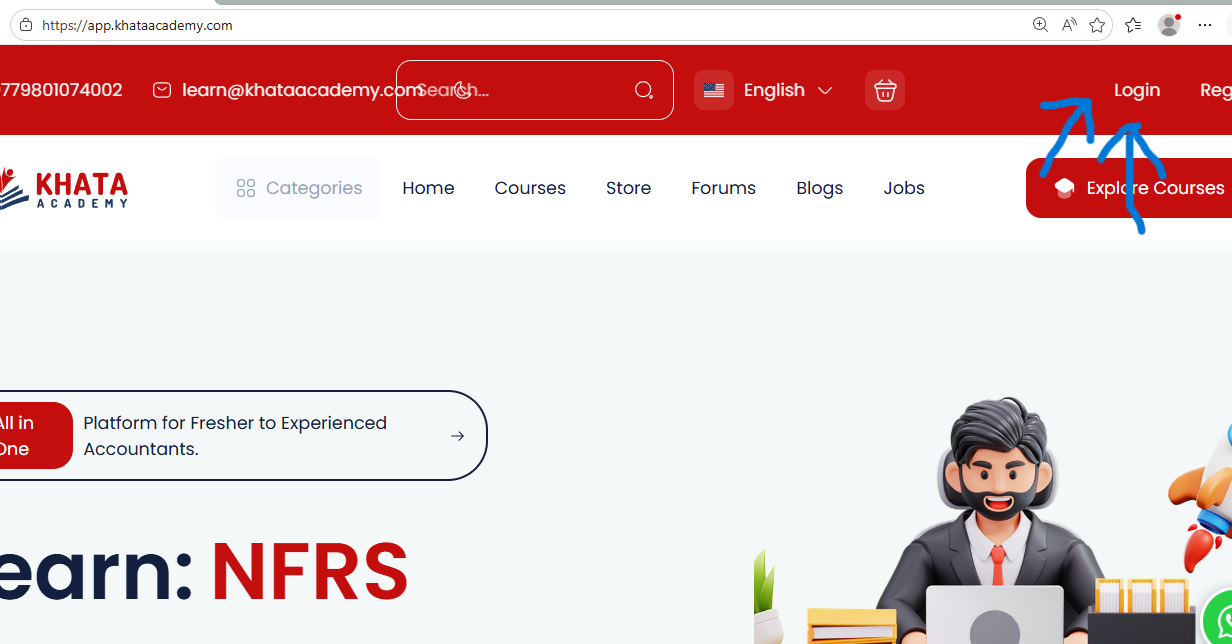
Search app.khataacademy.com

Then click on the login option as shown in the picture

Enter you email and password as provided by the course team and login into your account
Dashboard will open in the device
On the left side click on the courses button
and then on the purchased option .You will see list of the courses that you have purchased click on the course which you want to learn first then the course dashboard will appear , on the right bottom you will see go to learing page option in RED click on that option and the video will appear on the screen on the right there are all the videos